How to analyze your Apple Health workouts with ChatGPT
ChatGPT is surprisingly good at spotting patterns in training data: pacing, heart rate drift, recovery, consistency. The hard part is giving it the data. This guide shows how to get your Apple Health workouts into ChatGPT and what to ask once they're there.
By Héroes del Silicio · Updated
Why you can't just connect ChatGPT to Apple Health
Apple Health data stays on your iPhone and only apps you authorize can read it. ChatGPT can't open it on its own, so you have to hand over a file. The usual shortcuts don't work well:
- Screenshots lose almost everything: one number per metric, no splits, no heart rate series.
- The full Apple Health export is an XML of several gigabytes. It's too big to upload and mostly irrelevant to your question.
- Copying numbers by hand is slow and you'll leave out exactly the detail that matters.
What works is a file with only the workouts you're asking about, in a structure ChatGPT can read without guessing.
Step by step: from Apple Health to ChatGPT
-
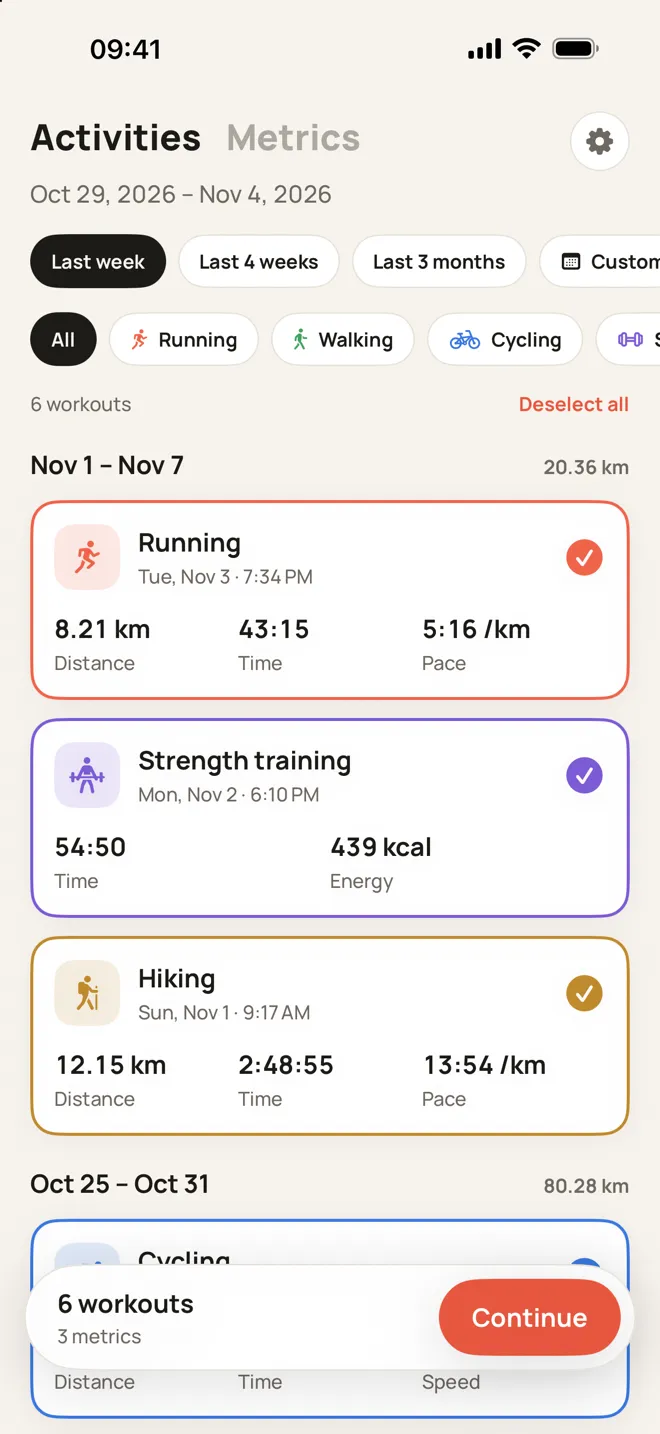
1Select the workouts
In HealthExport, pick a range (for example the last 4 weeks before a race) and tick the workouts. Add sleep, HRV or resting heart rate in the Metrics tab if your question is about recovery.
-
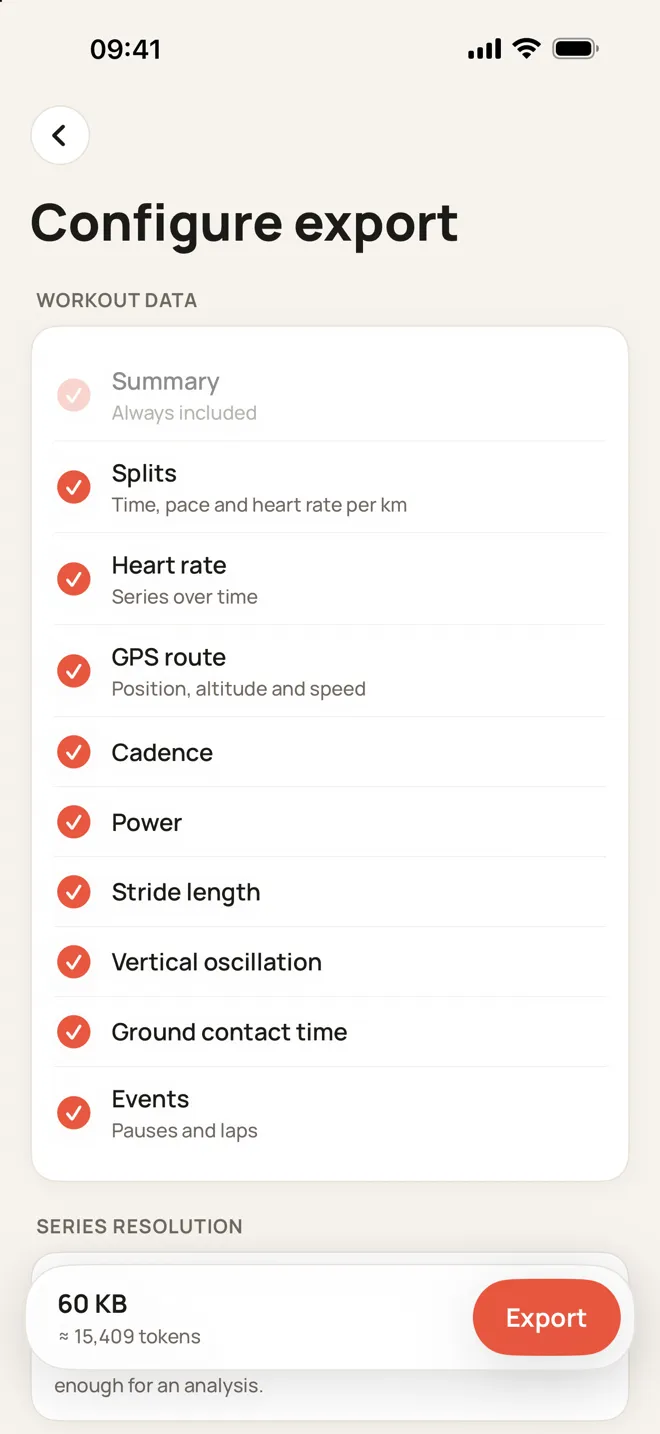
2Choose the data and keep it compact
For most questions, splits, heart rate and events at 30 s resolution are plenty. The export screen shows the estimated tokens, so you know whether it fits before you send it.
-
3Include the analysis prompt (optional)
Turn on Include analysis prompt to put a short text before the data that explains the format and asks for an analysis. You can edit it or write your own.
-
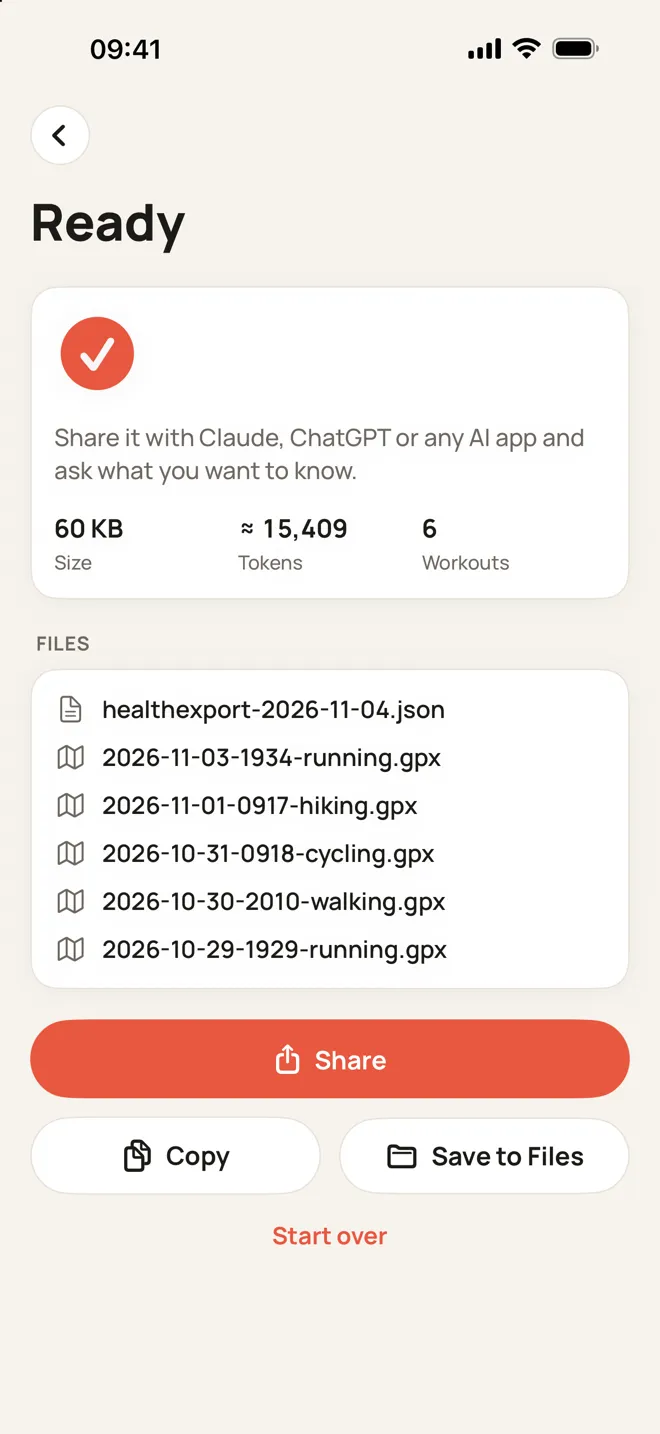
4Share to ChatGPT
Tap Export, then Share, and choose the ChatGPT app. Add your question in the chat and send it. You can also copy the text or save the file and upload it from ChatGPT on the web.
Good questions to ask
Specific questions get specific answers. Some that work well with an export:
- "Compare my long runs over these 8 weeks. Is my pace at the same heart rate improving?"
- "Look at the splits of my last race. Where did I lose time, and did I start too fast?"
- "How is my time in zone 2 versus zone 4 distributed each week? Is that sensible for a marathon plan?"
- "Is there a relationship between my sleep and HRV and how my runs felt the next day?"
- "Summarize my training load this month and suggest an easy week if I need one."
ChatGPT can be wrong, and it is not a doctor or a coach. Use its answers as a starting point and talk to a professional before making decisions about your health.
Keep the file the right size
The bigger the file, the more likely ChatGPT is to skim it. HealthExport warns you when an export goes over about 150,000 tokens. To shrink it:
- Use every 30 s instead of full resolution. For trends it loses nothing important.
- Untick the GPS route unless your question is about the course. It's usually the largest part.
- Pick a shorter range, or only the workouts that matter for the question.
Privacy: what you're sharing
HealthExport never sends anything by itself: the file is created on your iPhone. Once you share it with ChatGPT, OpenAI's privacy policy applies. Check the data controls in your ChatGPT settings if you don't want your chats used to improve their models, and leave out the GPS route if you'd rather not share where you train.
Frequently asked questions
Does ChatGPT have direct access to Apple Health?
No. You need to export the data and share it as a file. HealthExport creates that file on your iPhone and you send it to ChatGPT yourself.
What format does ChatGPT understand best?
Structured text such as JSON. HealthExport's format describes its own units and stores series as tables, so ChatGPT can read it without extra instructions.
Can I do the same with Claude or Gemini?
Yes. The file is plain JSON and works with any assistant. See how to use it with Claude.
Do I need ChatGPT Plus?
No for small exports. Paid plans handle larger files and longer conversations better, which helps with months of detailed data.
Can ChatGPT make charts from my workouts?
Often yes: ask it to plot pace or heart rate per split or per week. Results vary with the plan and features available in your account.
Try HealthExport
Export your workouts and metrics in two minutes. One-time purchase, no subscription, no account.