How to export sleep, HRV, resting heart rate and VO2 max from Apple Health
Recovery data tells half the training story. Apple Health tracks sleep stages, heart rate variability, resting heart rate and VO2 max, but only shows them one chart at a time. Here's how to export them as daily tables you can analyze together.
By Héroes del Silicio · Updated
Which metrics you can export
| Metric | Daily value | Unit |
|---|---|---|
| Weight | Average of the day | kg |
| Steps | Total of the day | steps |
| Sleep | One row per night: in bed, asleep, core, deep, REM and awake | seconds |
| Resting heart rate | Average of the day | bpm |
| Heart rate variability (HRV, SDNN) | Average of the day | ms |
| VO2 max (cardio fitness) | Average of the day | ml/kg/min |
Days are local days in your time zone. A night belongs to the date it started: sleep from Monday at 23:30 to Tuesday at 7:00 counts as Monday's night.
How to export them
-
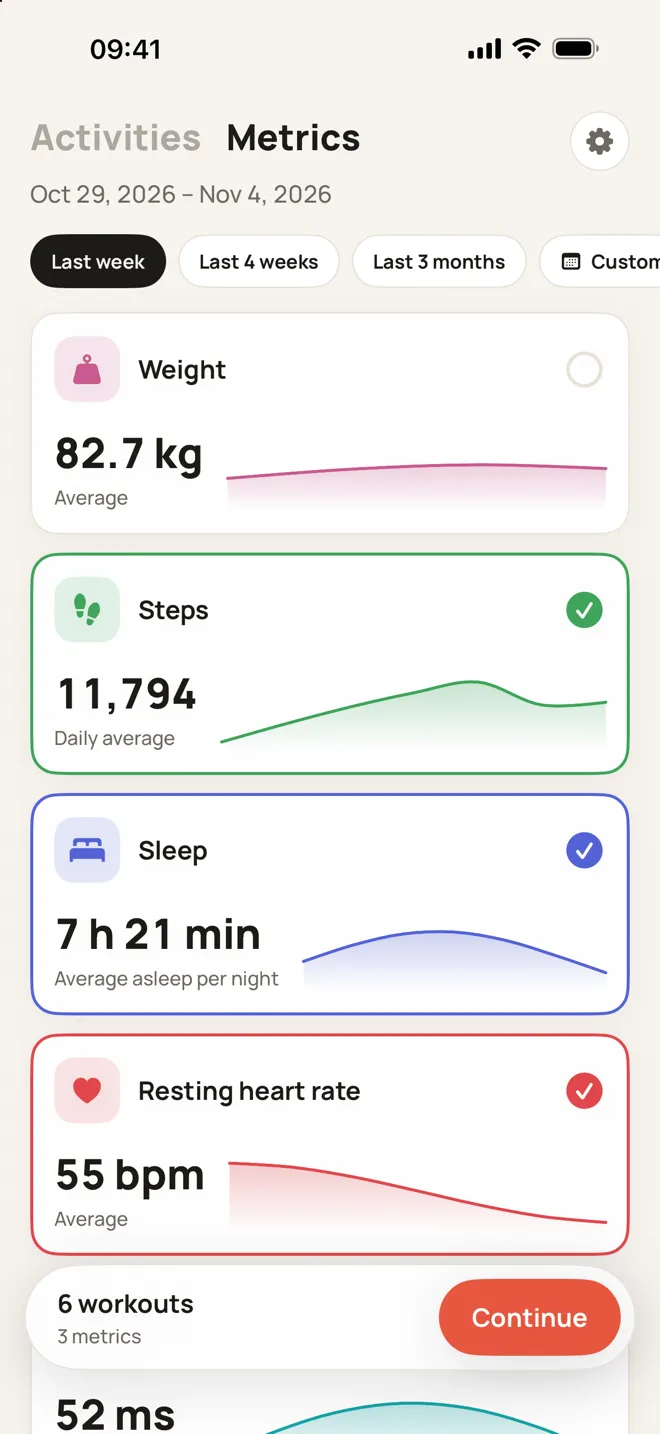
1Open the Metrics tab
HealthExport asks for permission to read these metrics the first time you open it. Each card shows the average for the range and a small chart.
-
2Pick the range and the metrics
The range is shared with your workouts. Tap the cards you want to include.
-
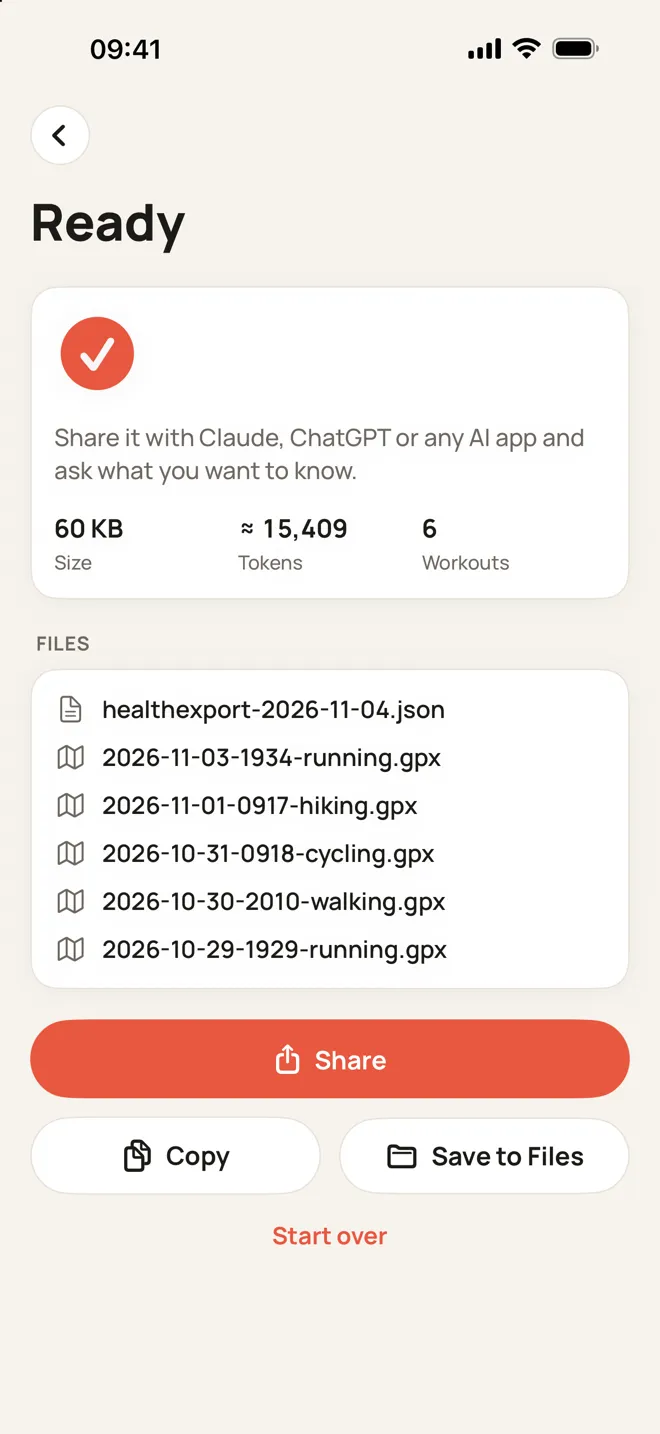
3Export
Continue to the export screen and tap Export. Metrics can go alone or in the same file as your workouts.
What the file looks like
Each metric is a small table with one row per day, which pastes cleanly into a spreadsheet and is easy for an AI to read:
"hrv_sdnn": { "columns": ["date", "ms"], "rows": [["2026-10-01", 48]] },
"sleep": {
  "columns": ["night_of", "in_bed_s", "asleep_s", "core_s", "deep_s", "rem_s", "awake_s"],
  "rows": [["2026-10-01", 27600, 25200, 14400, 4200, 6600, 2400]]
}
Why export them together with your workouts
On their own, HRV or sleep numbers are hard to interpret. Next to your training they start to mean something:
- HRV and resting heart rate often move when training load rises or sleep gets worse. A falling HRV with a rising resting heart rate over several days is worth a look.
- Sleep before hard sessions and races, compared with how those sessions went.
- VO2 max as a slow trend across a training block, alongside your pace at a given heart rate.
- Weight and steps to understand total load beyond the workouts themselves.
Put metrics and workouts in one file and ask ChatGPT or Claude to look for these relationships.
Where the data comes from
Sleep stages, HRV, resting heart rate and VO2 max are mostly measured by the Apple Watch. If both the watch and the iPhone (or another app) record sleep, HealthExport prefers the Apple Watch so the same night isn't counted twice. Weight comes from a smart scale or manual entries in Health.
Frequently asked questions
Can I export sleep stages from Apple Health?
Yes. Each night includes time in bed, asleep, core, deep, REM and awake, in seconds, as long as your Apple Watch or sleep app saved the stages to Health.
Why is a day missing?
Days without data are left out instead of being filled with zeros. That usually means the watch wasn't worn or the metric wasn't measured that day.
Which HRV does Apple Health use?
SDNN, in milliseconds, measured by the Apple Watch at various times of the day. HealthExport exports the daily average.
Can I open the file in Excel or Numbers?
The file is JSON. Spreadsheets can import it, but the simplest is to ask an AI assistant to turn the tables you need into CSV.
Try HealthExport
Export your workouts and metrics in two minutes. One-time purchase, no subscription, no account.