How to analyze your Apple Health data with Claude
Claude handles long, detailed files well, which makes it a good partner for training data: months of runs, splits and heart rate series in one conversation. Here is how to send it your Apple Health data and get useful answers.
By Héroes del Silicio · Updated
What Claude is good at with training data
- Long context. Claude can work with large files, so a block of training with splits and heart rate fits in one conversation.
- Reading tables. HealthExport stores series as column tables, which Claude reads reliably and can turn into summaries.
- Explaining its reasoning. Ask it to show which workouts and numbers support each conclusion, and check them yourself.
Send your Apple Health data to Claude
-
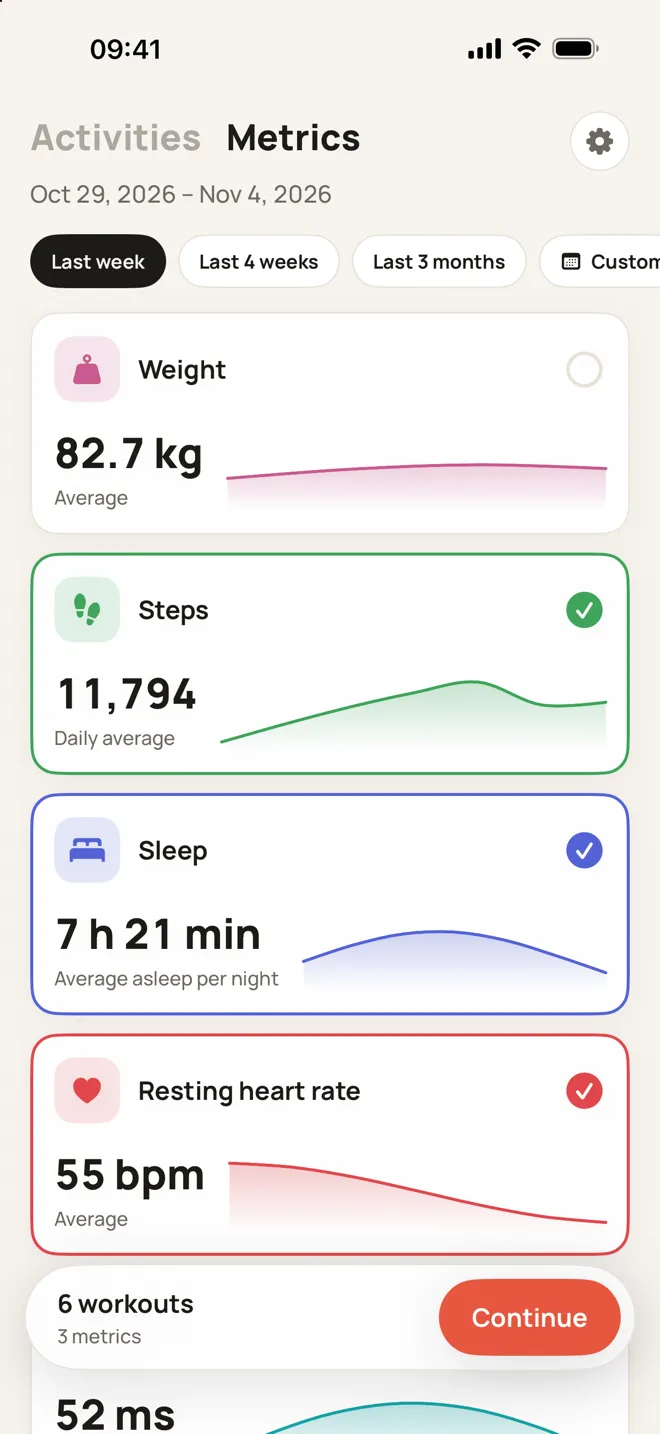
1Pick workouts and metrics
In HealthExport choose the range and the workouts. If you're asking about recovery, add sleep, HRV and resting heart rate in the Metrics tab.
-
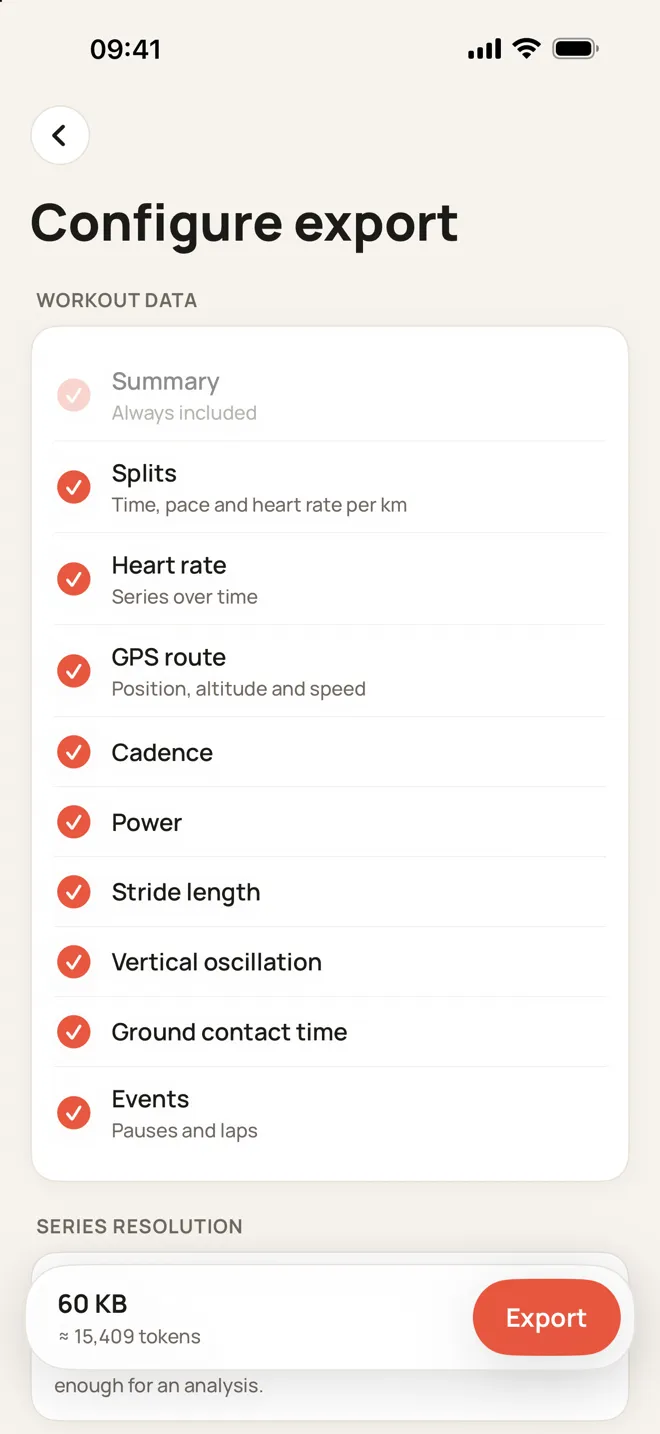
2Choose the detail
Tick splits, heart rate, events, and the series you care about. Claude copes with bigger files than most assistants, but 30 s resolution is still the sweet spot for trends.
-
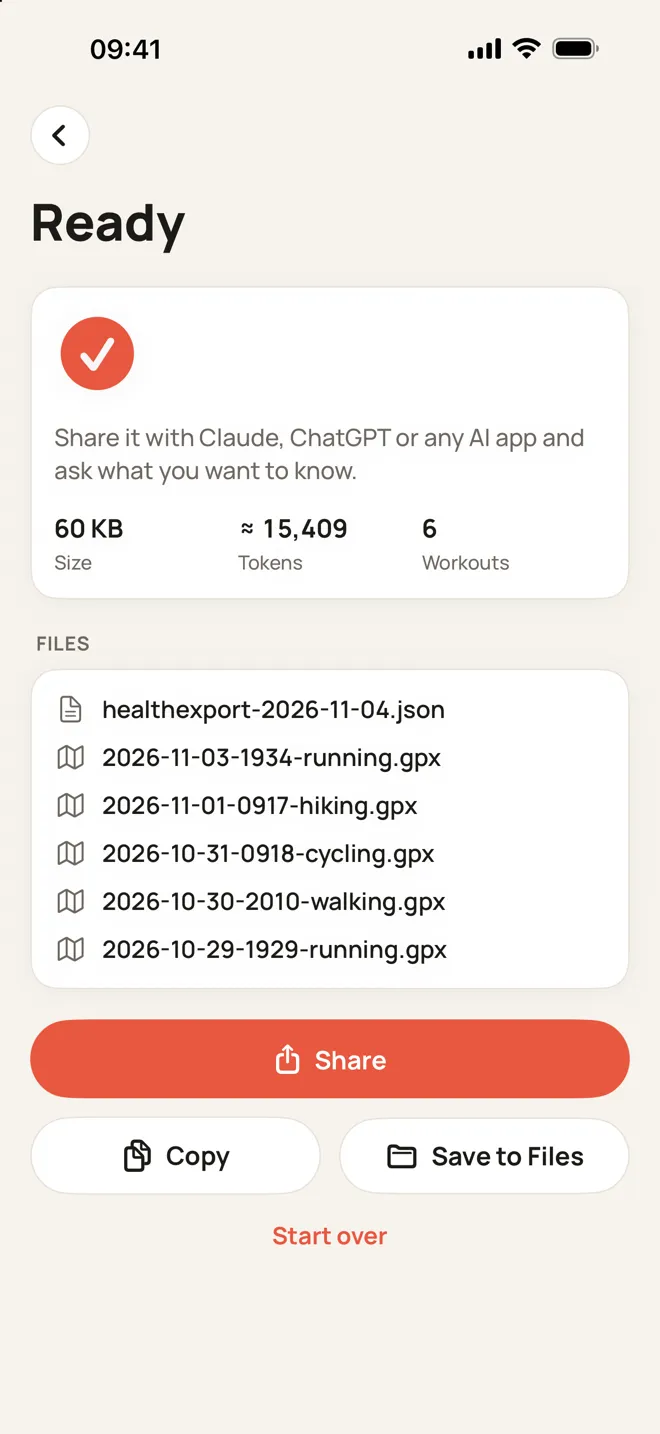
3Share to the Claude app
Tap Export, then Share, and pick Claude. Type your question and send. On a Mac or PC, save the file to Files and drag it into claude.ai.
Use a Claude Project for your training
If you train for a goal over months, create a Project in Claude (for example "Marathon 2027"). Add your exports to the project's knowledge and write instructions such as your goal race, your usual week and any injuries. Each new conversation in the project starts with that context, so you can simply ask "How did this week go?" after adding the latest export.
Export one file per week or per training block, named by date (HealthExport does this for you), so Claude can tell old data from new.
Questions that get good answers
- "Build a table of my weekly distance, time in each heart rate zone and average pace for these 12 weeks."
- "My HRV dropped this week. Look at my training and sleep and tell me what might explain it."
- "Compare these two half marathons split by split. What changed?"
- "Make a chart of my pace and heart rate per kilometre for my last long run."
- "Based on these workouts, what would you change in next week's plan? Explain why."
Claude is not a medical device and can make mistakes. Treat its analysis as a second opinion, not a diagnosis.
Privacy
The file is created on your iPhone and HealthExport never uploads it. When you share it with Claude, Anthropic's privacy policy applies; review your account's privacy settings to decide whether your chats can be used to improve their models. Leave out the GPS route if you don't want to share locations.
Frequently asked questions
Can Claude connect to Apple Health directly?
Not by itself. Export the data with HealthExport and share the file; it never passes through our servers because we don't have any.
How much data can I send to Claude?
It depends on your plan and the model. HealthExport shows the estimated tokens and warns above about 150,000, which is a comfortable limit for a detailed analysis.
Should I include the analysis prompt?
It helps, especially the first time: it explains the format and asks for a structured analysis. You can edit it in HealthExport to match your goal.
Does it work with ChatGPT too?
Yes, the same file works with any assistant. See the ChatGPT guide.
Try HealthExport
Export your workouts and metrics in two minutes. One-time purchase, no subscription, no account.