How to export Apple Watch workouts from Apple Health
Apple Health records every detail of your workouts: splits, heart rate, route, cadence, power. Getting that data out in a usable form is another story. This guide shows the built-in option, why it rarely works for workouts, and how to export exactly the workouts and data you want.
By Héroes del Silicio · Updated
Why Apple Health's built-in export doesn't work for workouts
In the Health app you can tap your profile picture and choose Export All Health Data. After a few minutes you get an export.zip with an export.xml inside. It has three problems if you only care about your training:
- It's all or nothing. You can't choose a date range, a workout or a type of data. Years of step counts and heart rate readings come along.
- It's huge. With a few years of Apple Watch data the XML easily weighs several gigabytes. Spreadsheets choke on it, and it's far too big for ChatGPT or Claude.
- Workouts are hard to rebuild. The heart rate, distance and route samples are stored separately from the workout itself. There are no splits per kilometre: you would have to compute them yourself.
That's why a dedicated export app makes sense: it reads the workouts through HealthKit on your iPhone and builds a file that already has the structure you need.
What you need
- An iPhone with iOS 18 or later.
- Workouts saved in Apple Health: recorded with an Apple Watch, the iPhone, or synced from another app (see below).
- HealthExport from the App Store. It's a one-time purchase, with no account and no subscription.
How to export your workouts, step by step
-
1Open HealthExport and allow access to Health
The app asks for read-only access. Allow the workouts and the data you want to export (heart rate, distance, route…). You can change it later in Settings › Health › Data Access & Devices.
-
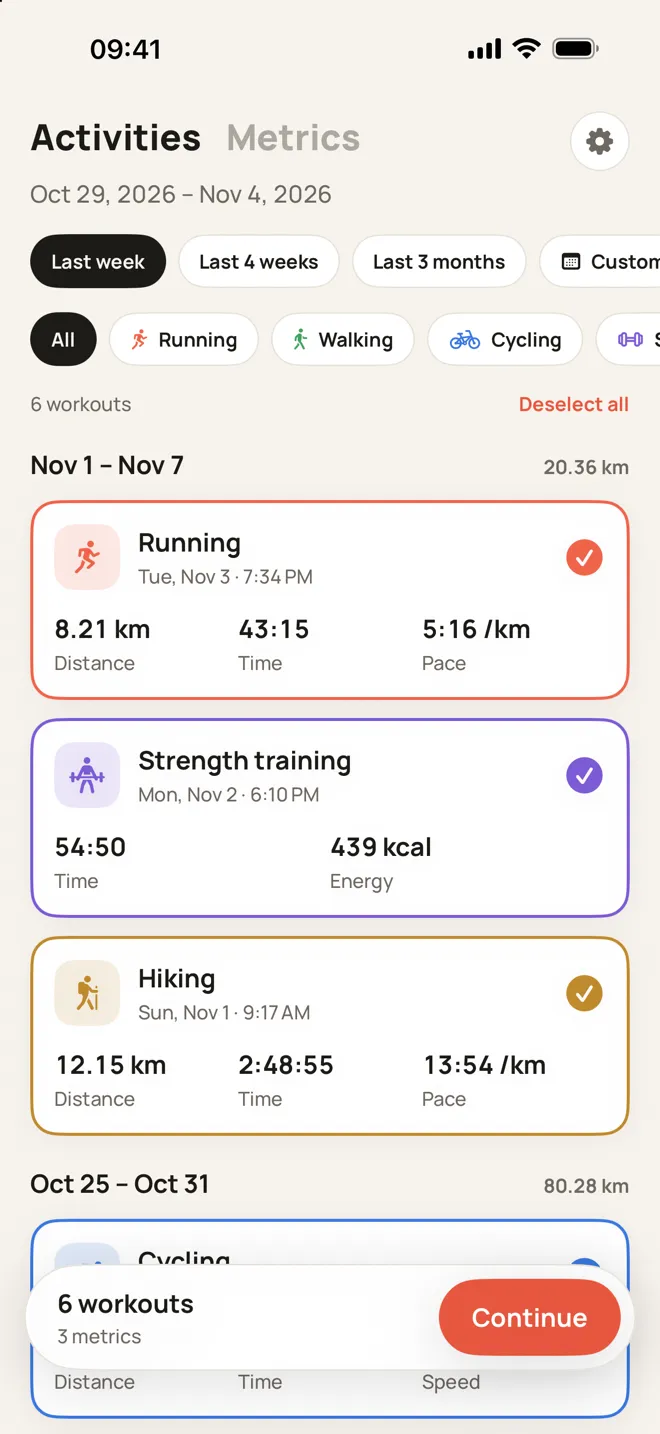
2Choose a date range and select workouts
Tap Last week, Last 4 weeks, Last 3 months or a custom range. Workouts are grouped by week, with distance, time and pace. Filter by activity type and tick the ones you want.
-
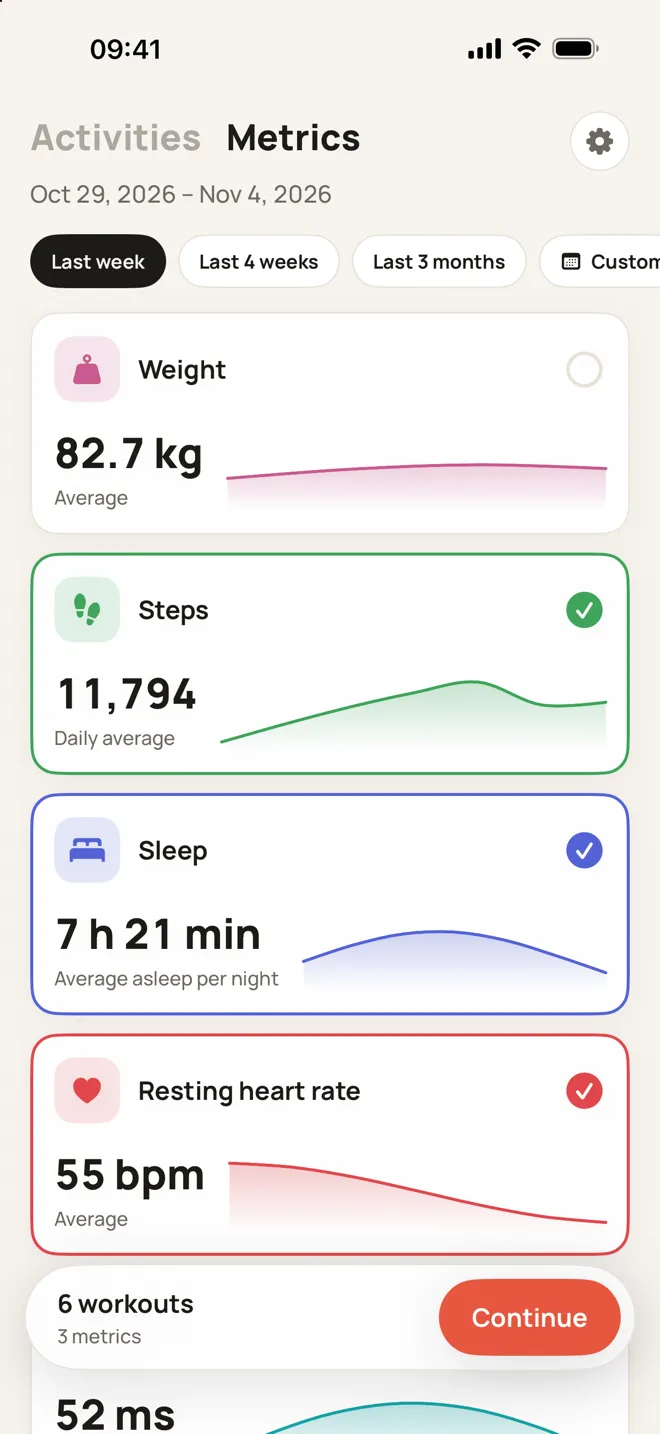
3Add health metrics (optional)
In the Metrics tab you can add daily weight, steps, sleep, resting heart rate, HRV and VO2 max for the same range. More on that in the metrics guide.
-
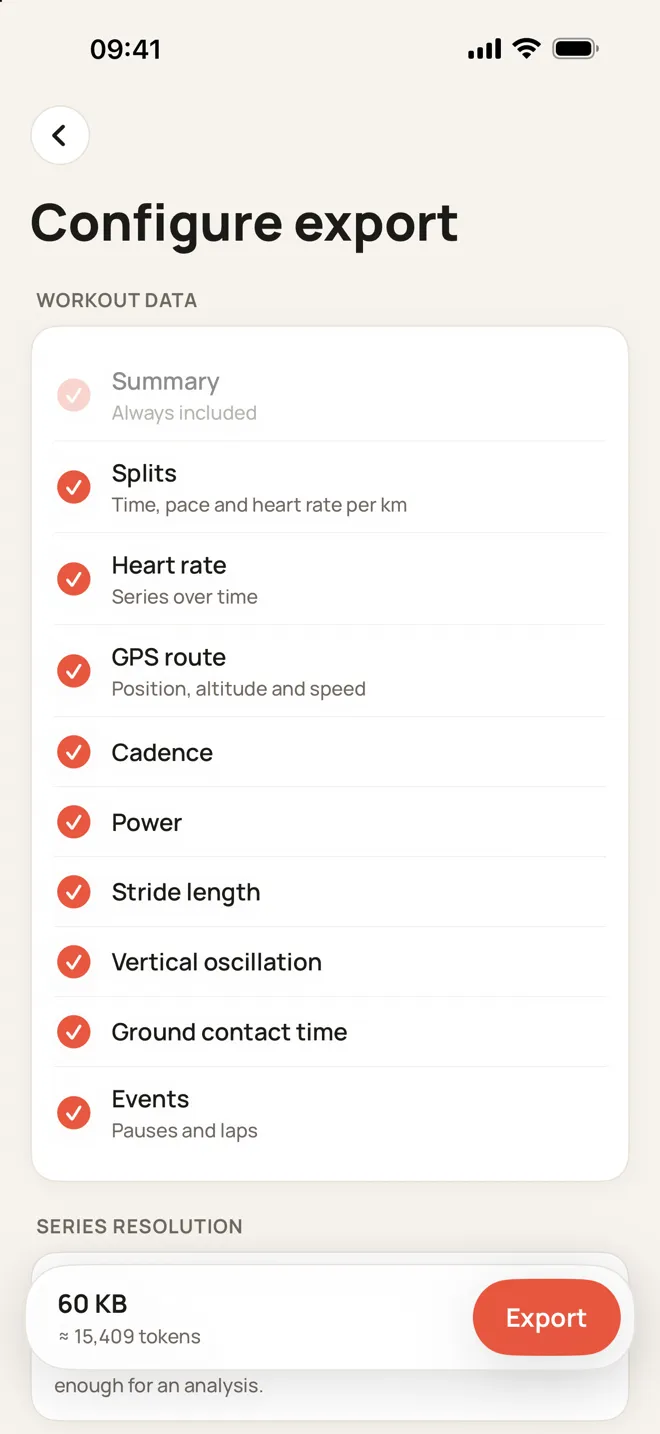
4Decide what goes into the file
Tick the data for each workout: splits, GPS route, heart rate, cadence, power, stride length, vertical oscillation, ground contact time and events. Only the data your workouts actually have is shown. Choose the series resolution (full, every 5 s or every 30 s) and watch the size in KB and tokens update live.
-
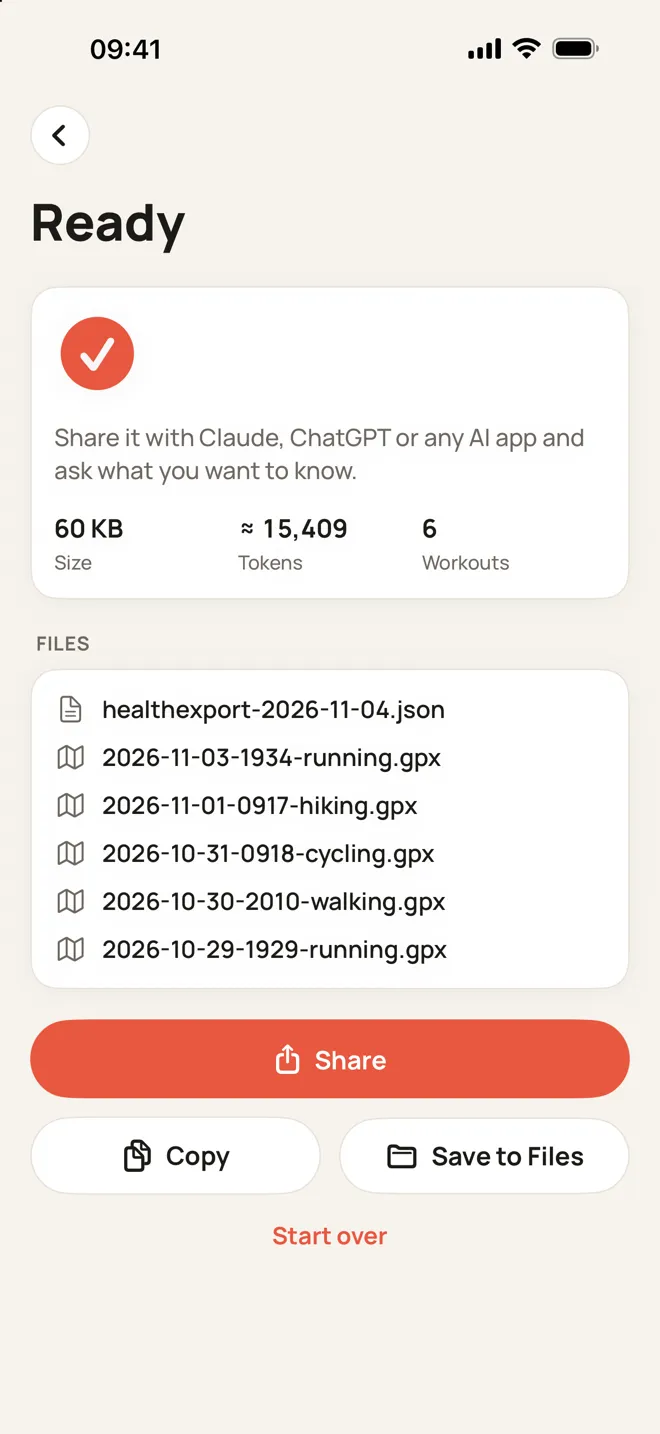
5Export and share
Tap Export. Send the file to the Claude or ChatGPT app, to your coach, or save it to Files. If you ticked GPX, each route comes as its own file too.
What a workout export includes
| Data | What you get |
|---|---|
| Summary (always) | Activity, indoor/outdoor, start and end, duration and moving time, distance, energy, elevation gain and loss, average pace or speed, average and max heart rate, cadence, power, weather and device model. |
| Heart rate zones | Time in each of 5 zones. Zones saved by your Apple Watch (iOS 27 or later) or computed from your max heart rate, and the file says which. |
| Splits | Per kilometre (per 100 m for swimming): time, pace, average heart rate and elevation gain, with pauses excluded. |
| GPS route | Latitude, longitude, altitude and speed over time. |
| Series | Heart rate, cadence, power, stride length, vertical oscillation and ground contact time over time. |
| Events | Pauses and laps, with when they happened and how long they lasted. |
Series are stored as compact tables (column names once, then rows of values) with time in seconds from the start of the workout. That keeps the file small and easy for an AI to read:
"splits": {
  "columns": ["km", "duration_s", "pace", "avg_heart_rate", "elevation_gain_m"],
  "rows": [[1, 331, "5:31", 141, 4], [2, 322, "5:22", 150, 6]]
}
Export a workout route as GPX
If you want to open a route in a map, Strava, Komoot or any other app, turn on GPX files for routes in the export screen. Each outdoor workout with a route is saved as a standard GPX file named with its date and activity, for example 2026-10-28-1902-running.gpx.
Your workouts stay private
HealthExport has no servers, accounts or analytics. It reads your data on the iPhone, builds the file there, and the file only leaves your phone when you share, copy or save it. Routes reveal where you live and train, so check what you include before you send a file to anyone. Details in the privacy policy.
Which apps and devices sync workouts to Apple Health?
Anything that writes workouts to Apple Health can be exported: the Apple Watch and the iPhone itself, and apps such as Strava, Garmin Connect, Zwift, Peloton, Nike Run Club or Runna when their Apple Health sync is on. How much detail ends up in Health (heart rate series, route, cadence) depends on each app, so a workout synced from a third-party app may have less data than one recorded with an Apple Watch.
To check what Health has for a workout, open the Health app › Browse › Activity › Workouts.
Frequently asked questions
Can I export my whole workout history?
Yes. Choose a custom range covering all the years you want. For long ranges, lower the series resolution or untick the GPS route to keep the file manageable.
Which format is best to share workouts with a coach?
JSON keeps every number and is ideal for an AI assistant or a coach who works with data. GPX is the standard for routes and opens in almost any map or training app.
Does it work with swimming and cycling?
Yes. Swimming uses metres and pace per 100 m, with splits every 100 m. Cycling uses speed, and includes cycling power and cadence when your sensors recorded them.
Why don't I see some of my workouts?
HealthExport only reads what you allow. Open Settings › Health › Data Access & Devices › HealthExport and turn on workouts and the related data. Also check that the workout appears in the Health app.
Can I export to Strava?
You can export the route as GPX and upload it to Strava from the web. Strava can also sync directly with Apple Health, which is usually easier.
Is my data safe?
The export is built on your iPhone and nothing is sent to us or to anyone else. You decide where the file goes.
Try HealthExport
Export your workouts and metrics in two minutes. One-time purchase, no subscription, no account.